
1. Overview
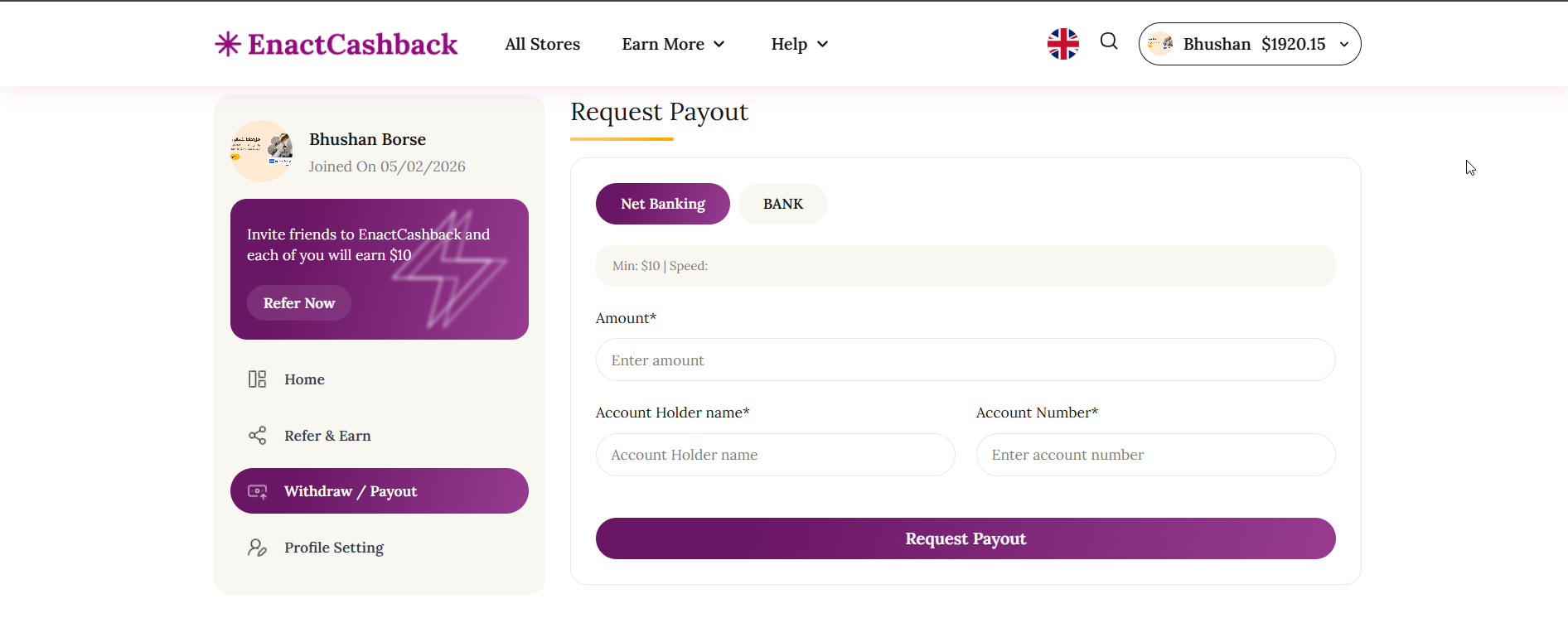
The Withdraw / Payout page allows users to withdraw their accumulated cashback balance from the EnactCashback platform. Users can request payouts through supported payment methods such as bank transfer or net banking.
This page enables users to submit payout requests and track the history and status of their withdrawals.
2. User Dashboard Sidebar
Purpose
Provides navigation within the user account dashboard.
Components
User Profile Section
Displays the user’s profile information.
-
Includes:
User profile image
Username
Account creation date
Example:
User Name: Bhushan Borse
-
Joined On: 05/02/202
Referral Promotion Card
Displays a referral promotion encouraging users to invite friends.
Message Example
Invite friends to EnactCashback and each of you will earn $10.
Button
Refer Now
Dashboard Navigation Menu
The sidebar includes the following navigation options:
Home
Refer & Earn
Withdraw / Payout
Profile Setting
The Withdraw / Payout option highlights the current page.
3. Request Payout Section
Purpose
Allows users to submit a request to withdraw their cashback balance.
Payment Method Options
Users can choose between available withdrawal methods such as:
Net Banking
Bank Transfer
The selected payment method determines which payout form fields are required.
Minimum Withdrawal Requirement
The page displays the minimum withdrawal amount required before users can submit a payout request.
Example:
Minimum withdrawal amount: $10
Payout Request Form
Users must provide the following information:
Amount
The amount of cashback the user wants to withdraw.
Account Holder Name
Name of the bank account holder.
Account Number
Bank account number where the payout will be transferred.
Request Payout Button
After entering the required information, users can click the Request Payout button to submit the withdrawal request.
4. System Behavior (Payout Request)
After the user submits a payout request:
The system verifies the withdrawal amount.
The request is recorded in the system.
The payout request status is updated to Processing.
The request appears in the Payout History section.
5. Payout History Section
Purpose
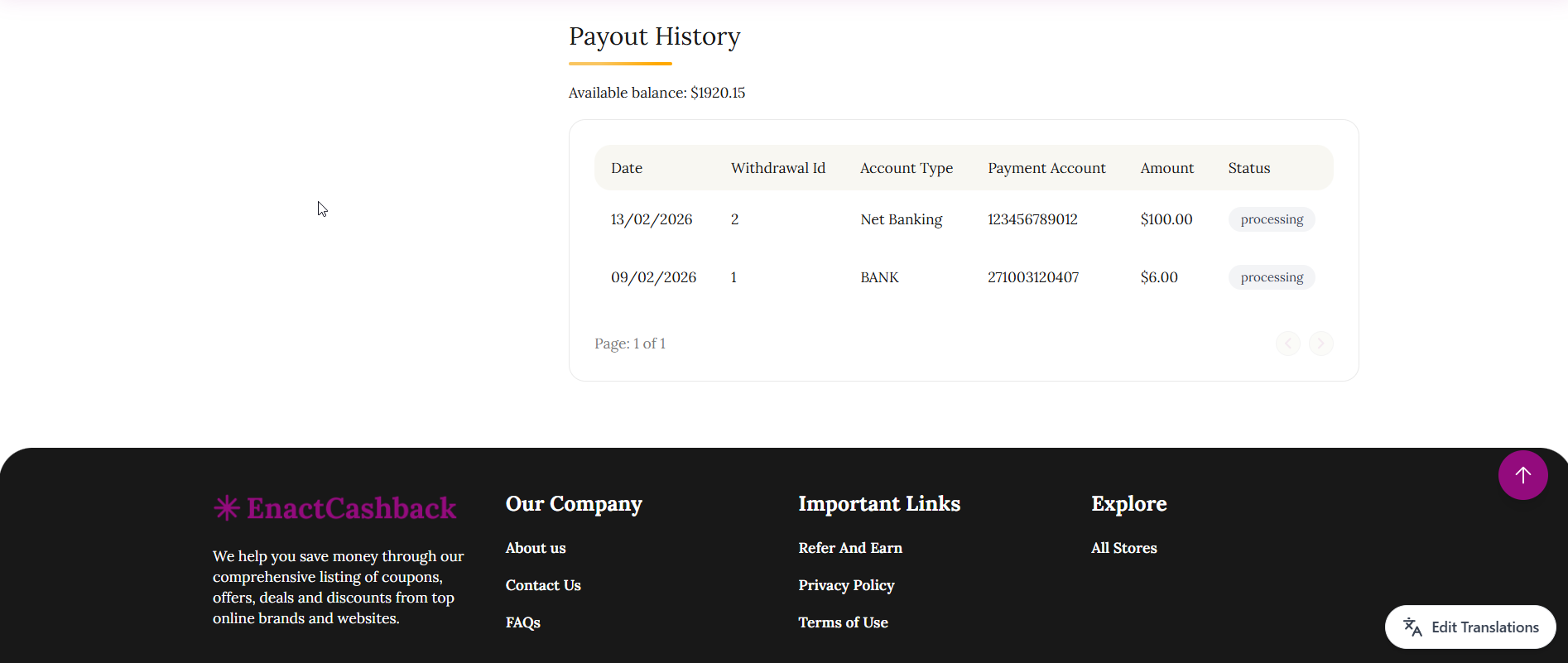
Displays a record of previous withdrawal requests and their current status.
Available Balance
The page displays the user’s available cashback balance.
Example:
Available balance: $1920.15
Payout History Table
The payout history table contains the following columns:
Column |
Description |
|---|---|
Date |
Date when the payout request was submitted |
Withdrawal ID |
Unique ID assigned to the withdrawal request |
Account Type |
Payment method used (Net Banking / Bank Transfer) |
Payment Account |
Bank account number used for withdrawal |
Amount |
Amount requested for withdrawal |
Status |
Current status of the payout request |
Example Withdrawal Records
Date |
Withdrawal ID |
Account Type |
Payment Account |
Amount |
Status |
|---|---|---|---|---|---|
13/02/2026 |
2 |
Net Banking |
123456789012 |
$100.00 |
Processing |
09/02/2026 |
1 |
Bank |
271003120407 |
$6.00 |
Processing |
6. Withdrawal Status
Each payout request can have different statuses such as:
Processing – Withdrawal request is under review.
Completed – Payment has been successfully transferred.
Rejected – Withdrawal request was denied.
8. Page Objective
The objective of the Withdraw / Payout page is to allow users to securely withdraw their earned cashback and track the status of their payout requests through a transparent payout management system.