
1. Overview
The All Stores page allows users to explore the complete list of partner stores available on the EnactCashback platform. Users can browse stores, view available cashback rates, search for specific stores, and sort the store listing for easier discovery.
This page helps users quickly find stores where they can shop and earn cashback rewards.
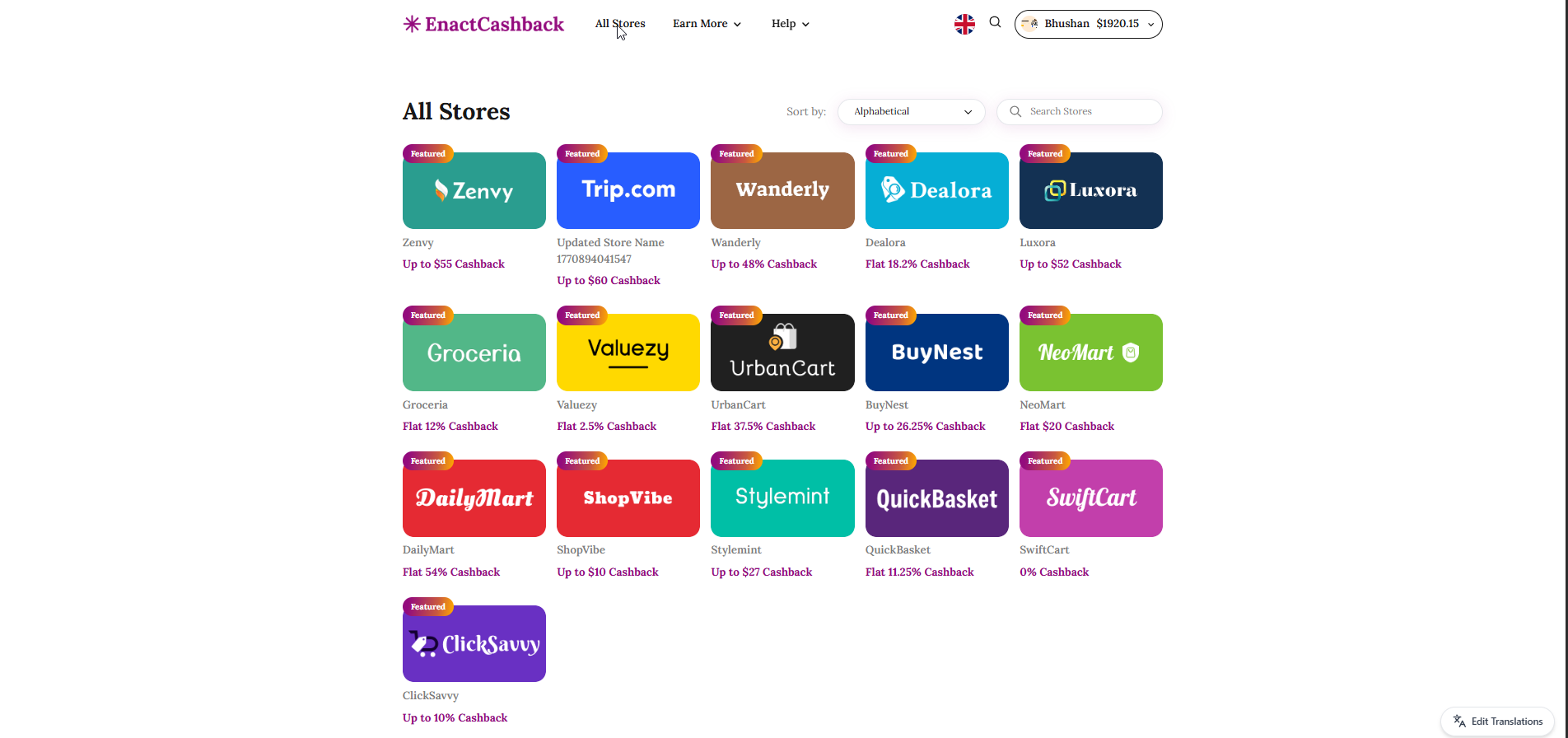
2. Page Header & Navigation
Purpose
Provides navigation access to key sections of the platform and allows users to return to other areas of the website.
Components
Platform Logo (EnactCashback)
Redirects users to the homepage.All Stores
Current section displaying all partner stores.Earn More
Dropdown menu for additional earning options such as referral programs or bonus opportunities.Help
Provides access to FAQs and support resources.Search Icon
Allows users to search across the platform.Language Selector
Enables switching between available languages.-
User Account Section
Displays username
Shows available cashback balance
Provides access to account options
3. Store Sorting & Search Controls
Purpose
Allows users to organize and find stores efficiently.
Components
Sort By Dropdown
Users can sort store listings based on different criteria such as:
Alphabetical order
Popularity
Highest cashback (depending on system configuration)
Store Search Field
Allows users to search for a specific store by entering the store name.
User Actions
Select a sorting option to rearrange the store listing.
Enter a store name in the search field to filter results.
5. Store Listing Section
Purpose
Displays all available partner stores where users can earn cashback.
Store Card Components
Each store is displayed as a store card containing:
Store Logo
Store Name
-
Cashback Offer
Example: “Up to $55 Cashback”
Example: “Flat 12% Cashback”
Featured Badge (for promoted stores)
Store Examples
Some stores displayed include:
Zenvy
Wanderly
Dealora
Luxora
Groceria
Valuezy
UrbanCart
BuyNest
NeoMart
DailyMart
ShopVibe
Stylemint
QuickBasket
SwiftCart
ClickSavvy
Cashback Types
Cashback offers may appear in different formats:
Flat Cashback
Example: Flat 12% CashbackMaximum Cashback
Example: Up to $60 Cashback
6. User Actions
Users can perform the following actions on the All Stores page:
Browse available cashback stores
Search for specific stores
Sort stores using the sorting dropdown
Click on a store card to view store details and available offers
When a user selects a store, they are redirected to the Store Details page, where they can activate cashback and visit the store.
7. Page Objective
The All Stores page serves as the primary discovery hub for cashback-enabled stores, allowing users to easily locate and access partner retailers where cashback rewards can be earned.