
1. Overview
The Profile Settings page allows users to manage and update their personal account information on the EnactCashback platform. Users can modify profile details, update their password, view linked email information, and manage account-related settings.
This page provides users with control over their personal information and account security.
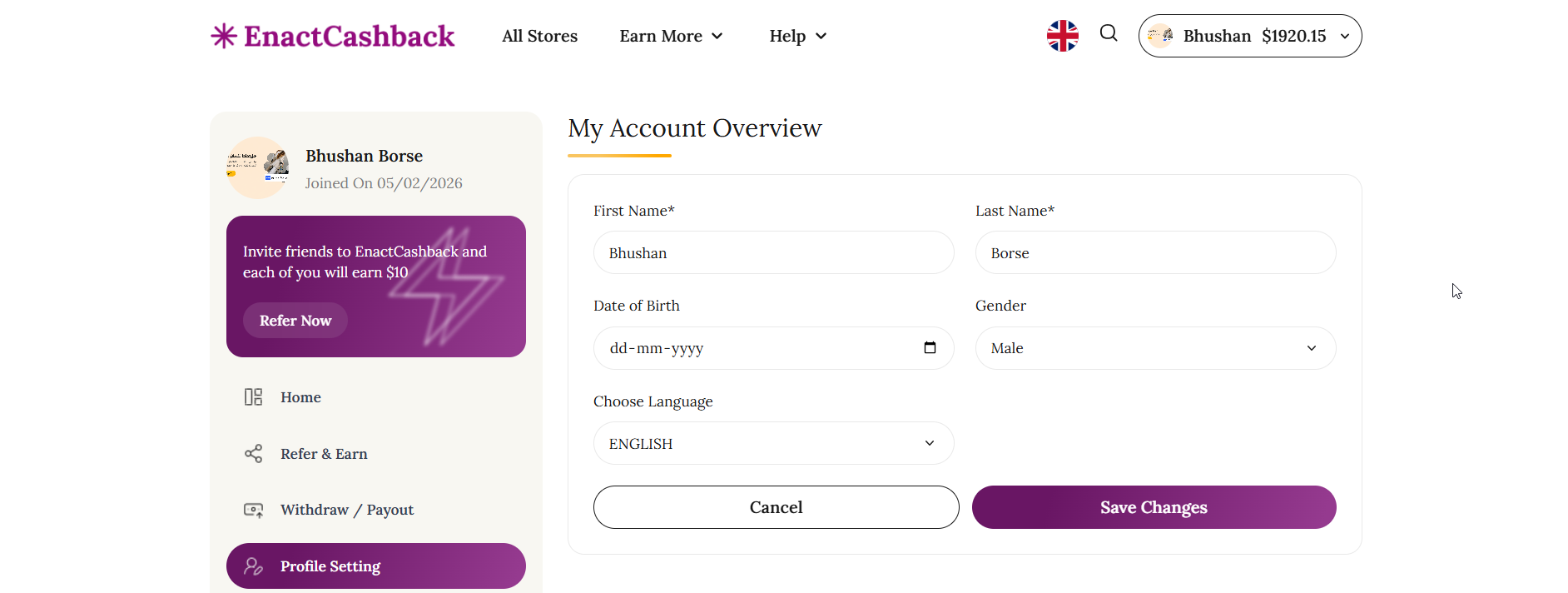
2. User Dashboard Sidebar
Purpose
Provides navigation within the user account dashboard.
Components
User Profile Section
Displays user information including:
Profile image
Username
Account creation date
Example:
User Name: Bhushan Borse
Joined On: 05/02/2026
Referral Promotion Card
Encourages users to invite friends to the platform.
Message Example
Invite friends to EnactCashback and each of you will earn $10.
Action Button
Refer Now
Dashboard Navigation Menu
The sidebar includes the following navigation options:
Home
Refer & Earn
Withdraw / Payout
Profile Setting
The Profile Setting menu item highlights the current page.
3. My Account Overview Section
Purpose
Allows users to view and update their personal profile information.
Form Fields
First Name
User’s first name.
Last Name
User’s last name.
Date of Birth
Allows users to enter or select their date of birth.
Gender
Dropdown field for selecting gender.
Preferred Language
Allows users to select their preferred interface language.
Action Buttons
Save Changes
Saves the updated profile information.
Cancel
Cancels any changes made to the form.
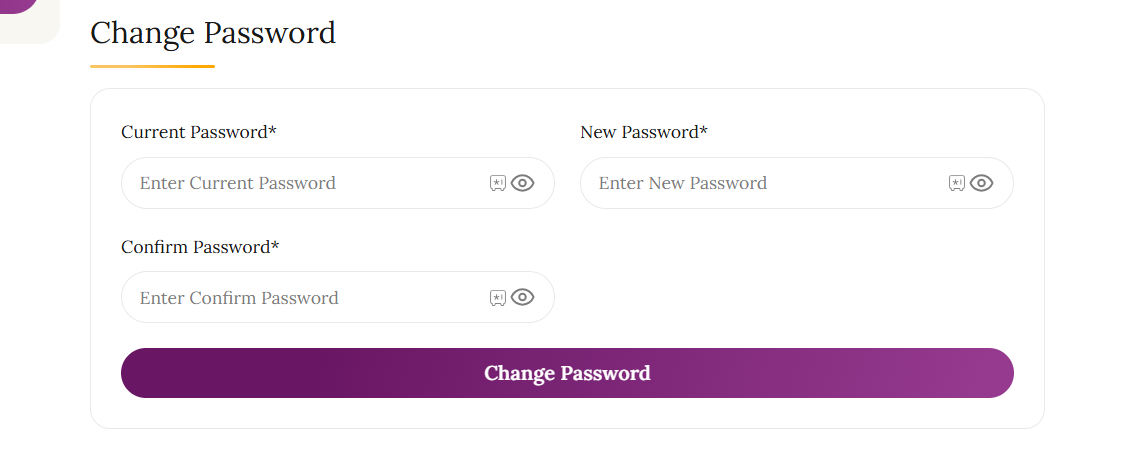
4. Change Password Section
Purpose
Allows users to update their account password for security purposes.
Form Fields
Current Password
User must enter their current password for verification.
New Password
Field to enter the new password.
Confirm Password
User must confirm the new password.
Action Button
Change Password
Updates the account password after validation.
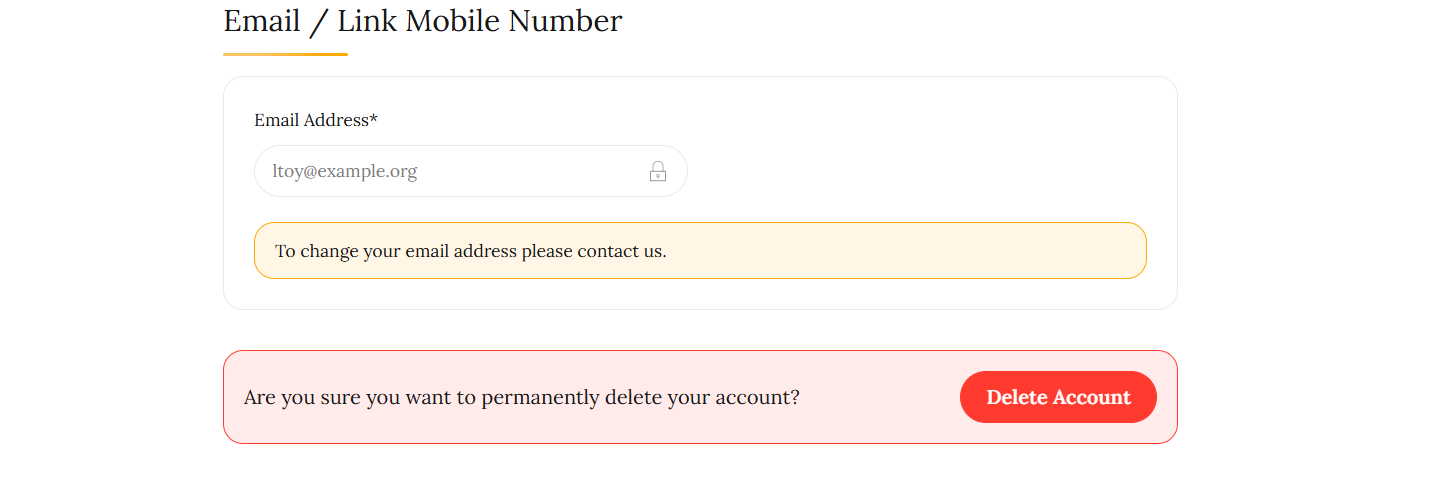
5. Email / Link Mobile Number Section
Purpose
Displays the user’s registered email address and allows account linking with mobile numbers if supported.
Components
Email Address Field
Displays the user’s registered email.
Note:
The email field may be locked or non-editable for security purposes.
Information Notice
If users want to change their email address, they may need to contact platform support.
Example message:
"To change your email address please contact us."
6. Account Deletion Section
Purpose
Allows users to permanently delete their account from the platform.
Warning Message
Users are shown a confirmation warning before proceeding with account deletion.
Example message:
"Are you sure you want to permanently delete your account?"
Action Button
Delete Account
Initiates the account deletion process.
Note:
This action is typically irreversible and may require confirmation.
7. System Behavior
When users interact with the profile settings page:
Profile updates are saved to the user database.
Password changes require current password verification.
Email changes may require support assistance.
Account deletion may require additional confirmation steps.
8. Page Objective
The objective of the Profile Settings page is to allow users to manage their personal information, maintain account security, and control their account preferences within the EnactCashback platform.