
1. Overview
The Homepage is the primary landing page of the EnactCashback platform where users can explore cashback offers, browse partner stores, view promotional deals, and understand how the cashback system works. The page provides quick access to top stores, shopping offers, popular categories, and cashback withdrawal options.
The main objective of the homepage is to help users easily discover cashback opportunities and navigate to partner stores to earn cashback rewards.
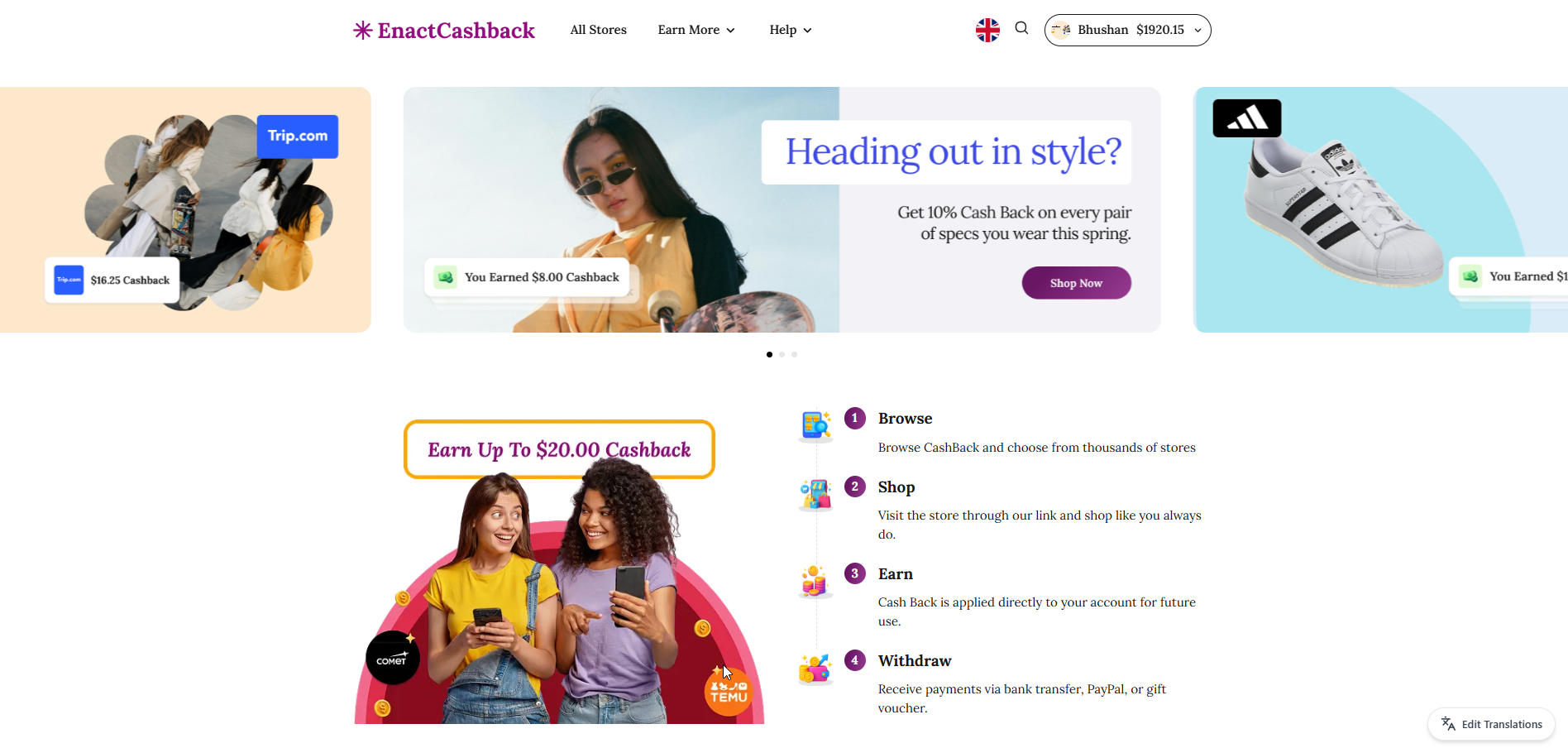
2. Header Section (Navigation Bar)
Purpose
The header provides global navigation and quick access to key sections of the platform.
Components
Platform Logo (EnactCashback) – Redirects users to the homepage.
All Stores – Allows users to browse all available partner stores.
Earn More – Dropdown menu containing additional earning opportunities such as referrals or bonus programs.
Help – Provides access to support resources and FAQs.
Search Icon – Enables users to search for specific stores or offers.
Language Selector – Allows users to switch between supported languages.
-
User Account Menu
Displays username and cashback balance.
Provides access to account-related options.
User Actions
Users can navigate between store listings, help sections, and their account dashboard.
3. Promotional Banner / Hero Section
Purpose
This section highlights featured promotions, cashback offers, and partner brand campaigns.
Components
Promotional banner carousel
Featured brand offers
Cashback highlights
“Shop Now” call-to-action button
User Actions
Users can scroll through banners.
Clicking on a banner redirects users to the respective store or promotional page.
4. Cashback Earning Process Section
Purpose
This section explains how users can earn cashback on purchases through the platform.
Steps Displayed
1. Browse
Users browse cashback offers from thousands of partner stores.
2. Shop
Users visit the store through the EnactCashback link and shop normally.
3. Earn
Cashback is credited to the user’s account after the purchase is tracked.
4. Withdraw
Users can withdraw their cashback via available payout methods.
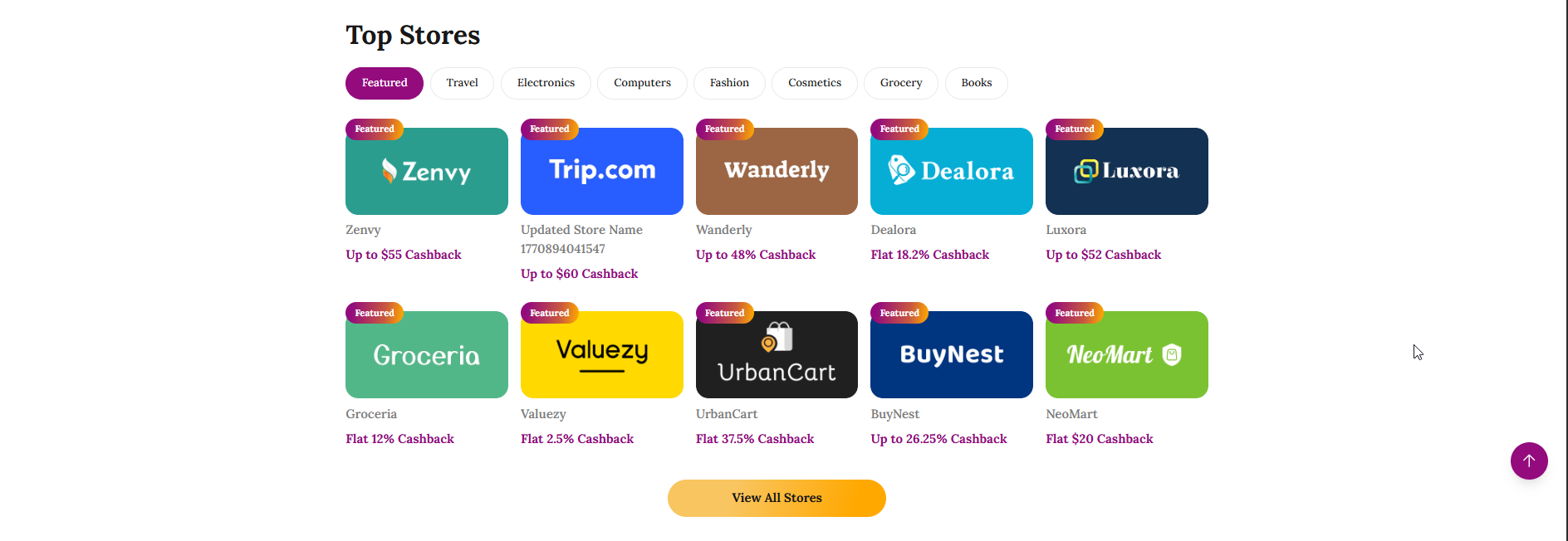
5. Top Stores Section
Purpose
Displays popular and featured partner stores offering cashback.
Components
Store cards with brand logos
Cashback percentage or maximum cashback value
Store name
Category filters (Featured, Travel, Electronics, Computers, Fashion, Cosmetics, Grocery, Books)
User Actions
Clicking a store redirects the user to the store details page.
Users can switch between categories to explore stores in specific segments.
“View All Stores” button displays the complete store listing.
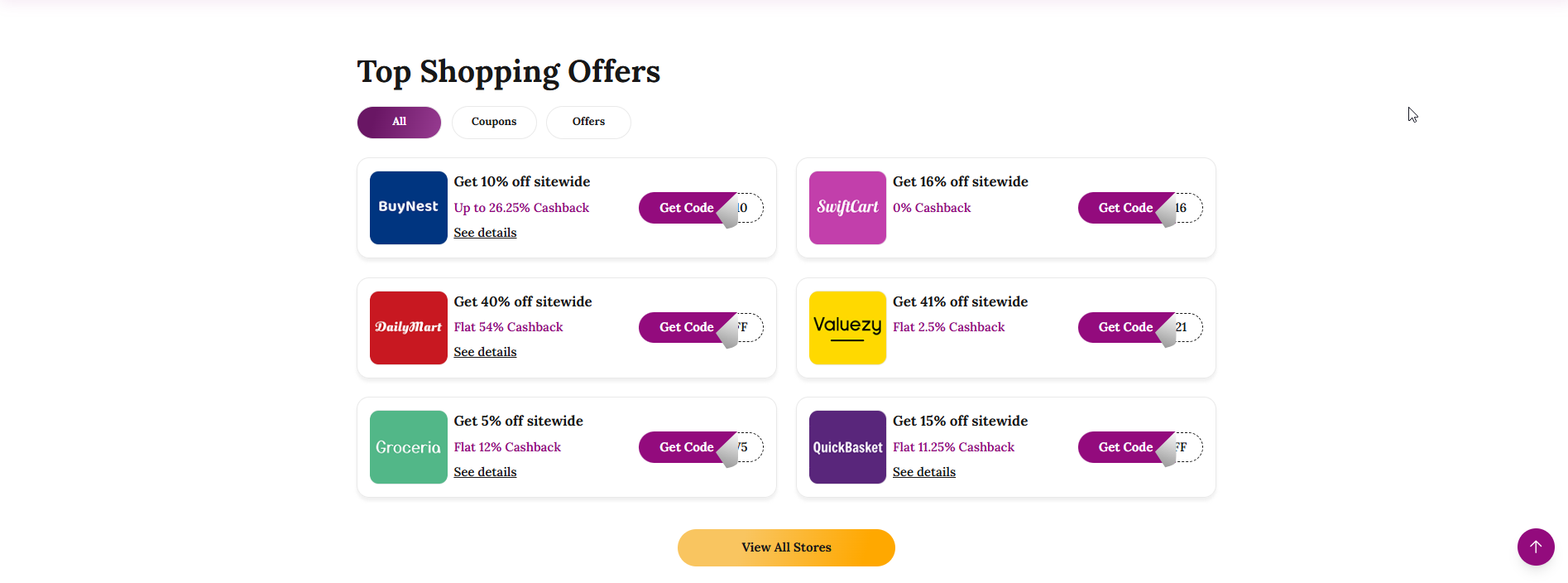
6. Top Shopping Offers Section
Purpose
Highlights the most attractive coupons, deals, and cashback offers available across partner stores.
Components
-
Offer cards displaying:
Store name
Offer title (e.g., “Get 10% off sitewide”)
Cashback percentage
“Get Code” button
“See Details” link
-
Offer filters:
All
Coupons
Offers
User Actions
Users can copy coupon codes using the Get Code button.
Users can view offer details before visiting the store.
Selecting an offer redirects users to the respective partner store.
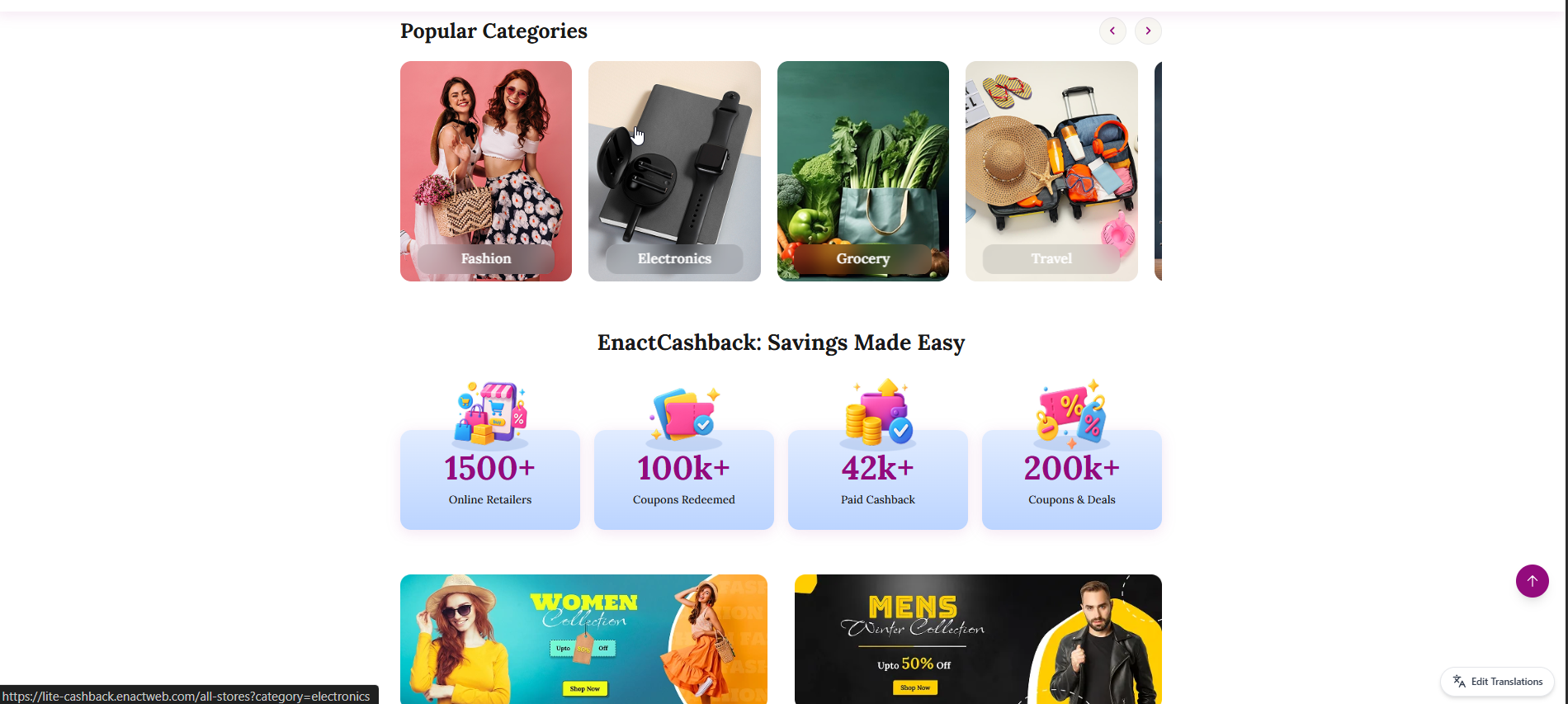
7. Popular Categories Section
Purpose
Displays major shopping categories to help users quickly find stores and deals within specific product segments.
Example Categories
Fashion
Electronics
Grocery
Travel
User Actions
Clicking a category redirects users to the filtered store listing page for that category.
8. Platform Statistics Section
Purpose
Displays key performance metrics of the EnactCashback platform to build user trust and highlight platform scale.
Metrics Displayed
1500+ Online Retailers
100k+ Coupons Redeemed
42k+ Cashback Paid
200k+ Coupons & Deals
9. Promotional Campaign Section
Purpose
Promotes featured shopping campaigns or seasonal collections.
Examples
Women Collection
Men’s Winter Collection
User Actions
Users can click Shop Now to explore related offers and stores.

10. Cashback Withdrawal Section
Purpose
Explains how users can withdraw their earned cashback.
Description
Users can withdraw cashback through multiple payout methods depending on availability.
Supported Withdrawal Methods
PayPal
Amazon
Apple
Bank Transfer
Gift Cards
Other digital payment platforms
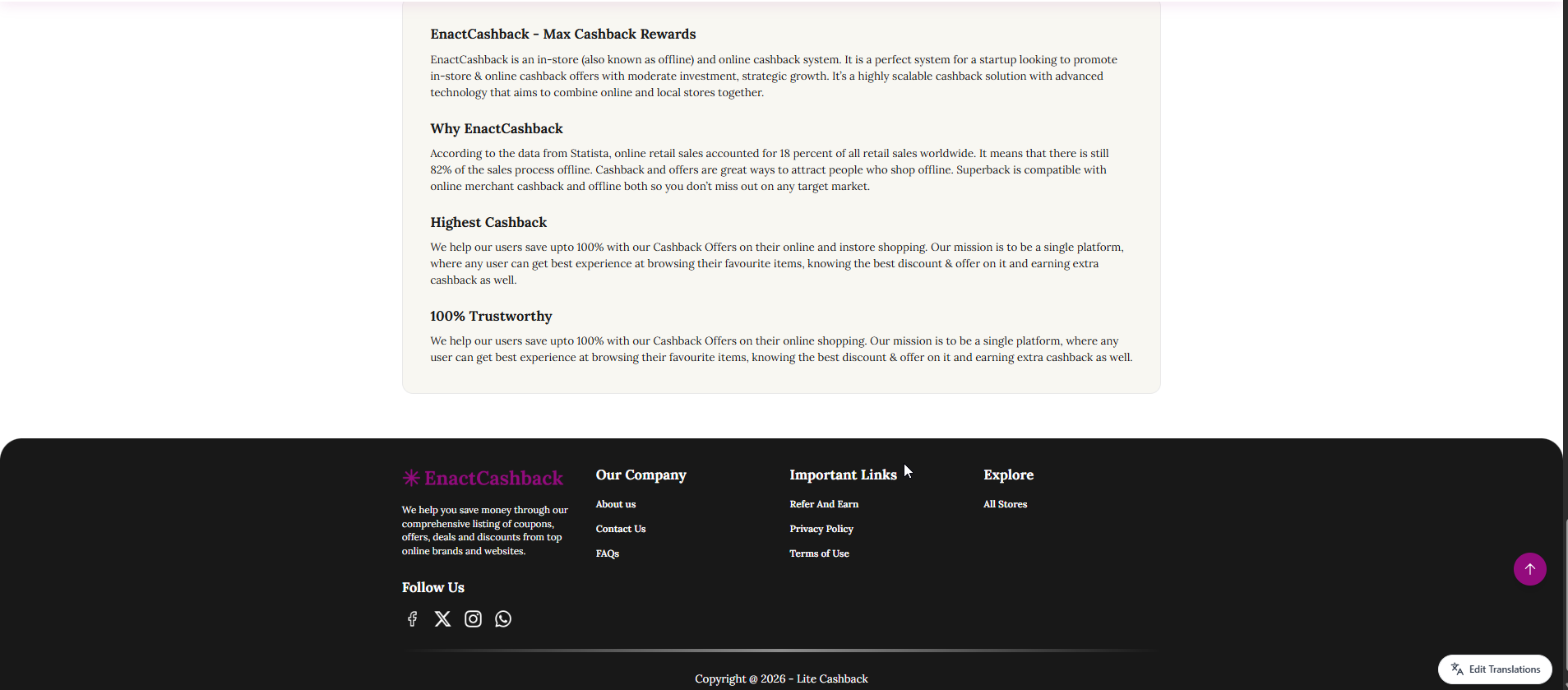
11. Information Section (About EnactCashback)
Purpose
Provides an overview of the platform and explains the benefits of using EnactCashback.
Content Includes
Introduction to the cashback system
Benefits of cashback offers
Platform trust and reliability
Mission and purpose of the service
12. Footer Section
Purpose
Provides important links, company information, and social media access.
Components
Company Information
About Us
Contact Us
FAQs
Important Links
Refer and Earn
Privacy Policy
Terms of Use
Explore
All Stores
Social Media Links
Facebook
Twitter
Instagram
WhatsApp
Copyright Notice
Displays platform copyright information.
13. Scroll-to-Top Button
A floating button allows users to quickly return to the top of the page.